Filling Machine HMI Screen Examples
What belongs on a filling machine operator panel? A liquid filling interface illustrates production status, fill settings, product recipes and useful alarm messages.
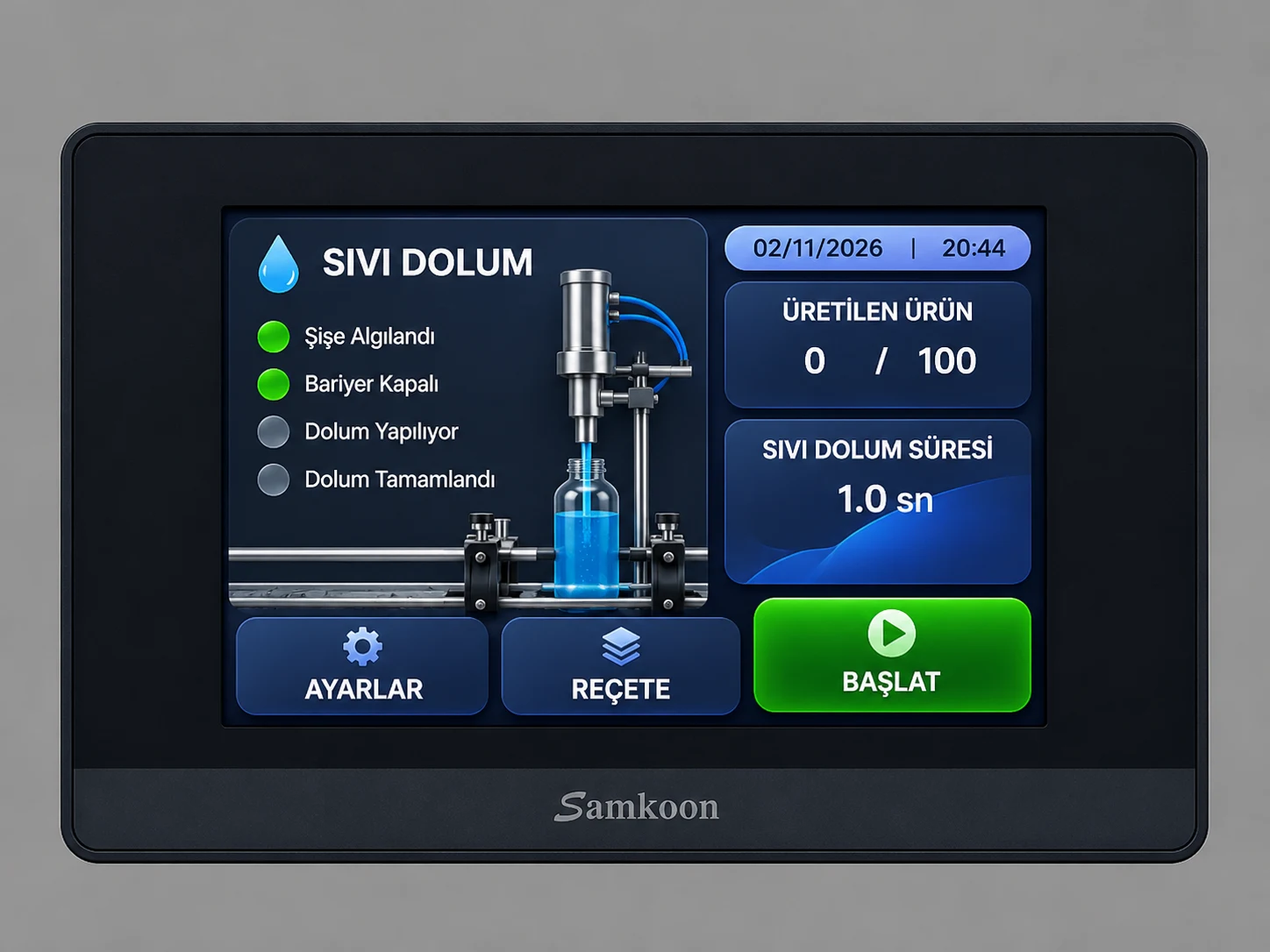
A filling machine HMI should show what the machine is doing, which product settings are active and why the cycle is waiting. Production status and frequent actions belong on the main screen; detailed settings, recipes and alarms can have their own pages.
The image is a proposed interface design displayed on a Samkoon panel. It is not a commissioning record from a running machine or a downloadable, tested Samkoon project. The main screen is illustrated; the additional pages described below are design recommendations. The example interface uses Turkish labels, explained here in English.
How does the filling method change the HMI?
Choose screen fields around the actual control method. A visual layout may be reused, but measurements and editable settings depend on the machine.
- Timed liquid filling: filling time and cycle delays are central. Where the machine supports it, foaming products may also need slow/fast filling stages or a post-fill wait.
- Weighed powder filling: target weight, measured weight, tare and any coarse/fine feeding stages matter. Displayed weight must come from the actual weighing system.
- Bottom-up liquid filling: nozzle position and the sequence between filling and lifting may be shown. Distinguish commanded movement from confirmed position.
The settings, recipe and alarm images below are explanatory screen diagrams. Their timing values are illustrative, not production parameters.
1. What should the main screen show?
The illustration places bottle and nozzle status on the left, production count and filling time on the right, and Settings, Recipe and Start controls below. Each status label should answer a specific question:
- Bottle detected: Does the sensor at the filling position detect a bottle?
- Stopper closed: Is the required stopper or clamp position confirmed?
- Filling in progress: Is the PLC filling step active?
- Filling complete: Has the defined completion condition been reached?
An output command is not proof of physical position. If no position feedback exists, a label such as “close command active” is more accurate than “closed”. Status should use words as well as colour. When communication fails, stale values must not appear to be current machine information.
2. What does the production counter count?
The 0 / 100 display can represent completed cycles against a batch target. Define the event that increments it: bottle detection, completion of filling or acceptance after a separate quality check.
A count based only on completed cycles should not be labelled “good products” without a suitable acceptance check. Completed fills, rejects and batch targets can be separate values. Counter reset may need confirmation to prevent accidental loss of batch information.
3. Filling time is not automatically filling volume
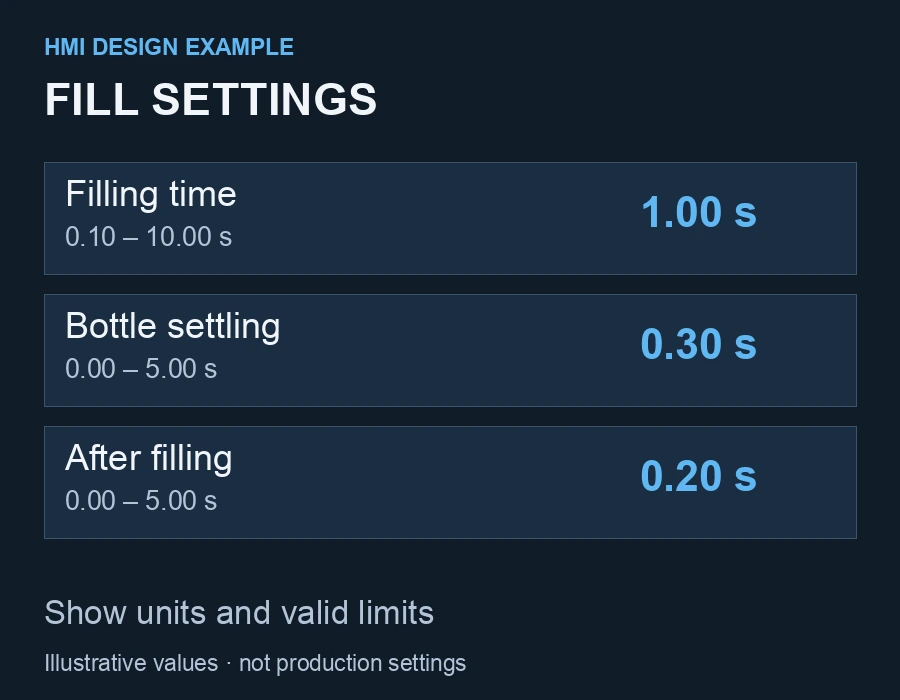
The example displays 1.0 seconds. On a time-controlled machine this might represent how long a filling output remains active. It does not, by itself, establish a volume in millilitres. Flow, pressure, temperature, viscosity and the mechanical arrangement affect the result.
A settings page might include filling time, bottle settling delay, post-fill delay and any pump or conveyor speed reference. Each field needs a unit and valid limits. A volumetric or weighing-based machine may need different settings from a timer-based one.
State whether an edit applies immediately or to the next cycle. Validate permitted values in the PLC as well as the HMI. A volume display requires an appropriate measurement or calibration method; renaming a timer field “ml” does not provide one.
4. Product recipe screen example
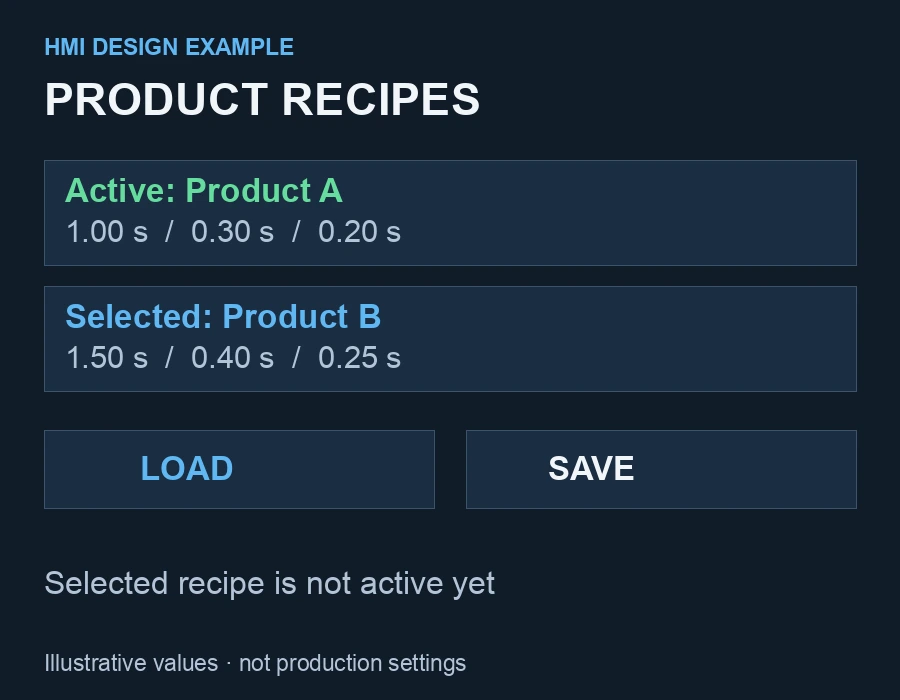
A recipe groups the settings used for a product. A record called “Product A — 250 ml bottle” could store filling time and delays. The bottle size in its name is a product description, not evidence that every fill achieves that volume.
Keep selected recipe and active recipe distinct. Touching a row in a list should not silently change the running machine. Explain Load, Save and Save As separately.
A useful sequence is to select a record, review its values, confirm loading in an appropriate machine state and verify the active recipe name. Retention after power loss and backup procedures depend on the actual controller and panel model.
5. Useful alarms explain the condition
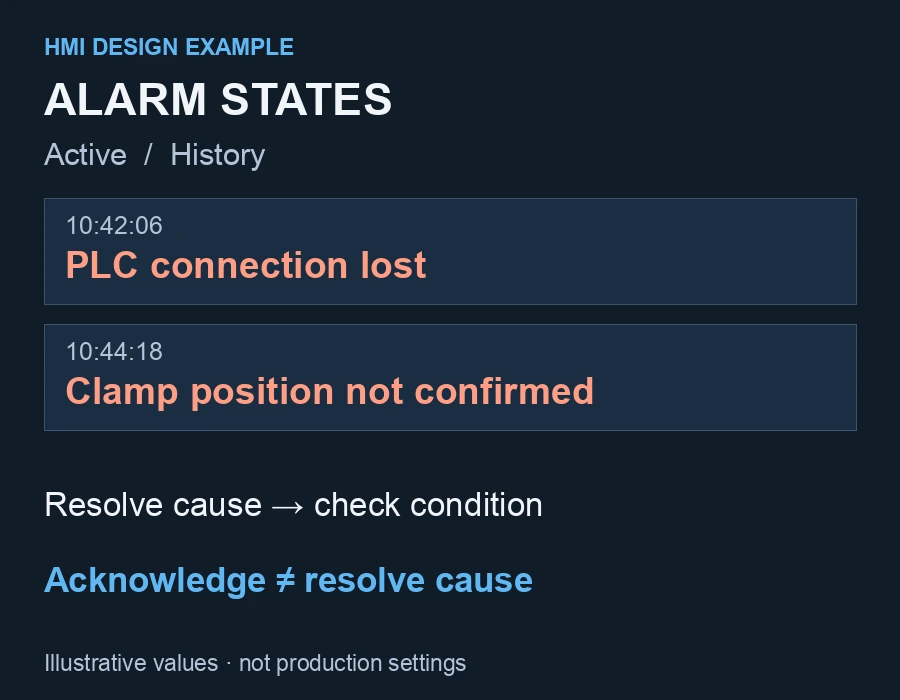
An alarm page should identify the condition and time, and help the operator find the relevant check. Possible messages, where the necessary feedback or monitoring actually exists, include:
- “Waiting for bottle: check the sensor at the filling position.”
- “Clamp closing timeout: position feedback not received.”
- “PLC communication lost: machine status is not updating.”
Normal waiting and a fault are different conditions. No bottle available is not necessarily a fault; whether it needs a timeout depends on the process.
Acknowledging an alarm does not mean its cause has disappeared. Keep active alarms, history, acknowledgment and restart behaviour distinct. Siemens documents alarm arrival, departure and acknowledgment as separate states. This is a conceptual reference, not a Samkoon menu guide; available functions must be checked for the chosen model.
6. Start, stop and machine readiness
A Start button can send a request to the PLC. The selected mode, cycle state and defined permissive conditions determine whether the request is accepted. If the machine cannot start, show why.
The illustrated main screen does not show a Stop button. A real design must clearly provide normal stopping and define what happens to an active fill. A standard HMI button does not replace a physical emergency stop and the required machine safety system. This image alone is not a complete control design.
Quick review checklist
- Can the operator see why the machine is waiting?
- Are commands distinguished from confirmed physical states?
- Does every numerical setting have a unit and valid limits?
- Are selected and active recipes clearly different?
- Can alarm acknowledgment cause an unexpected restart?
- Are stale values clearly invalidated after communication loss?
- Are text and touch targets usable on the actual panel?
The most useful HMI is one whose information matches the real PLC state. Appearance helps, but accurate feedback is what makes the machine understandable.
Common questions about filling machine HMI screens
Can one panel store settings for different bottles?
Yes, a recipe structure supported by the selected HMI and PLC can hold product or bottle setting groups. Mechanical adjustments and product tests remain separate; loading a recipe does not make every package compatible.
Does a longer filling time mean a larger fill?
It can on a time-controlled system when other conditions remain unchanged. Do not assume the same linear time-to-volume relationship for every product. Measure and verify with the actual product.
Does the PLC brand matter when designing an HMI?
Yes. The panel and PLC need a compatible communication protocol and matching addresses. They need not share a brand; assess both models and communication options together. Our PLC and HMI programming page explains how this fits into the software project.